OrinLink
What problem was I trying to solve?
- Regional restrictions on AI tools and online services.
- Expensive short-term VPN plans that push long subscriptions.
What is OrinLink?
- A VPN subscription service with flexible durations.
- Used through compatible VPN apps (Shadowrocket, Hiddify…).
How did I approach it?
- Offer flexible plans from 1 to 12 weeks.
- Maintain monitoring to know when to adjust nodes and keep the service stable.

From Purchase to Connection
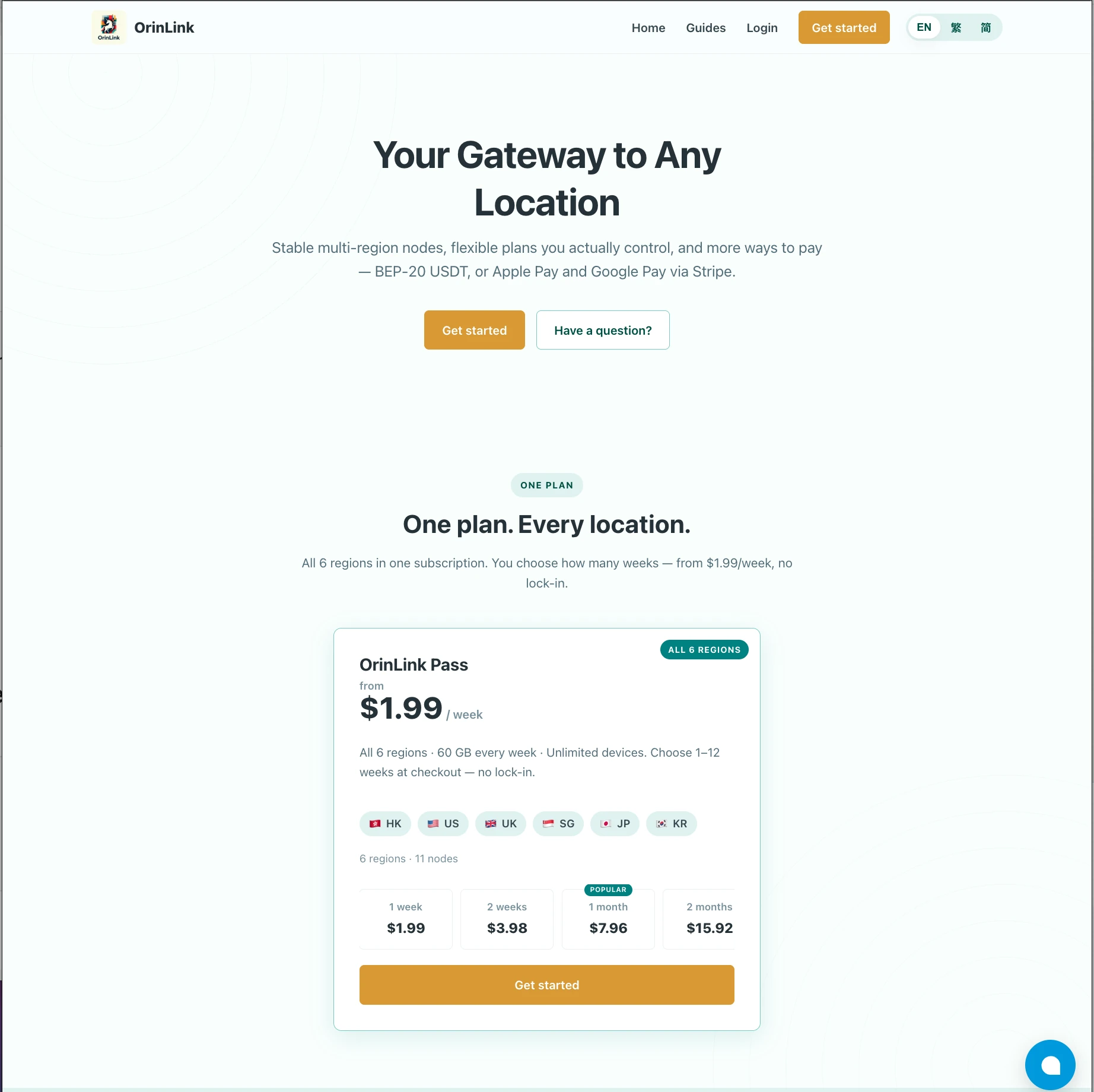
- 1–12weeks
Choose a plan


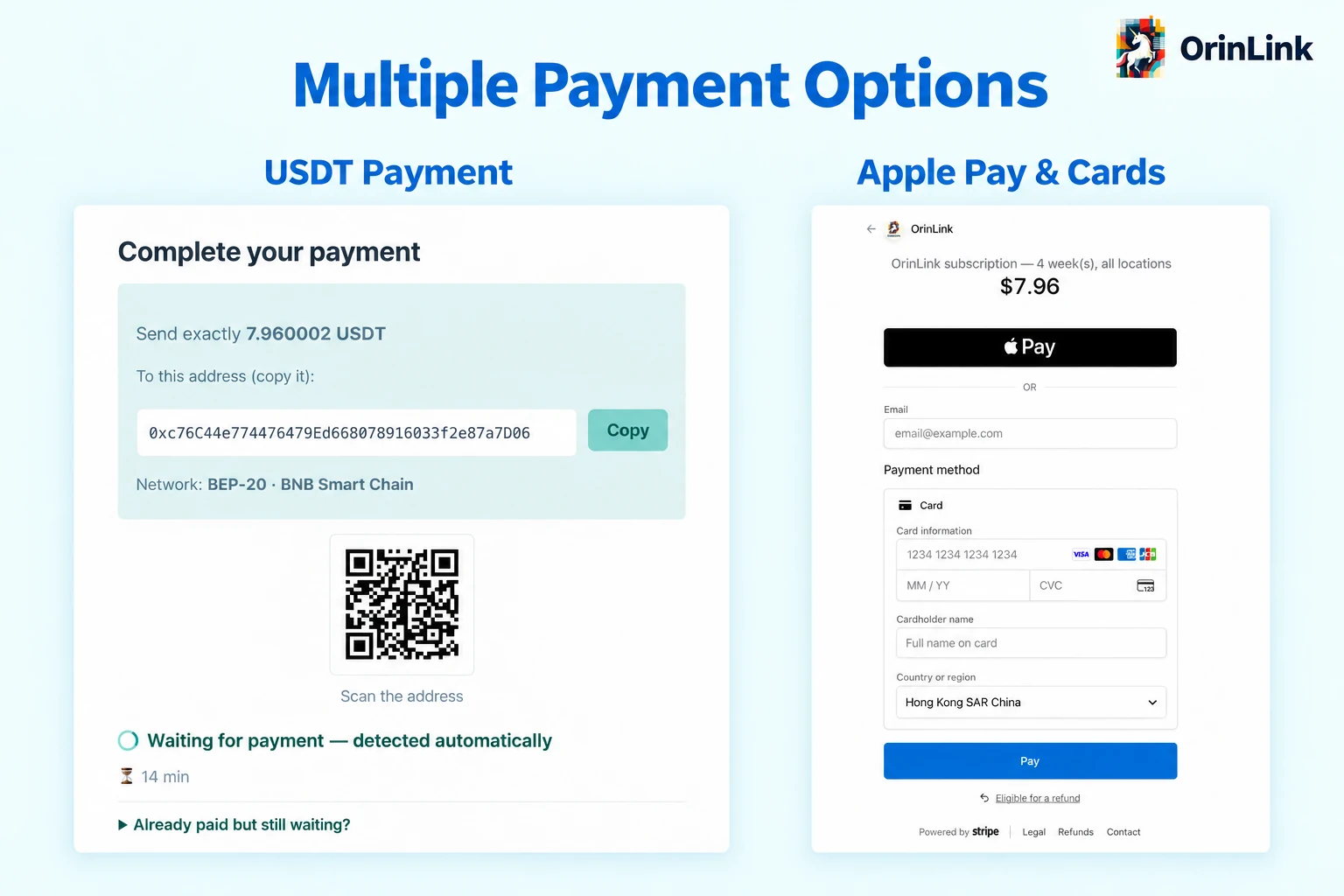
Pay your way
Visa · Mastercard
USDT · Apple Pay- DEMO
Get your access
QR code or subscription link



Import into an app
Shadowrocket · Hiddify · Loon
- Ready
Connect
Behind the Scenes
 Building the ServiceFrom website design to a working subscription service.
I designed and built the OrinLink website and set up the subscription service, including plan selection and client setup guidance.
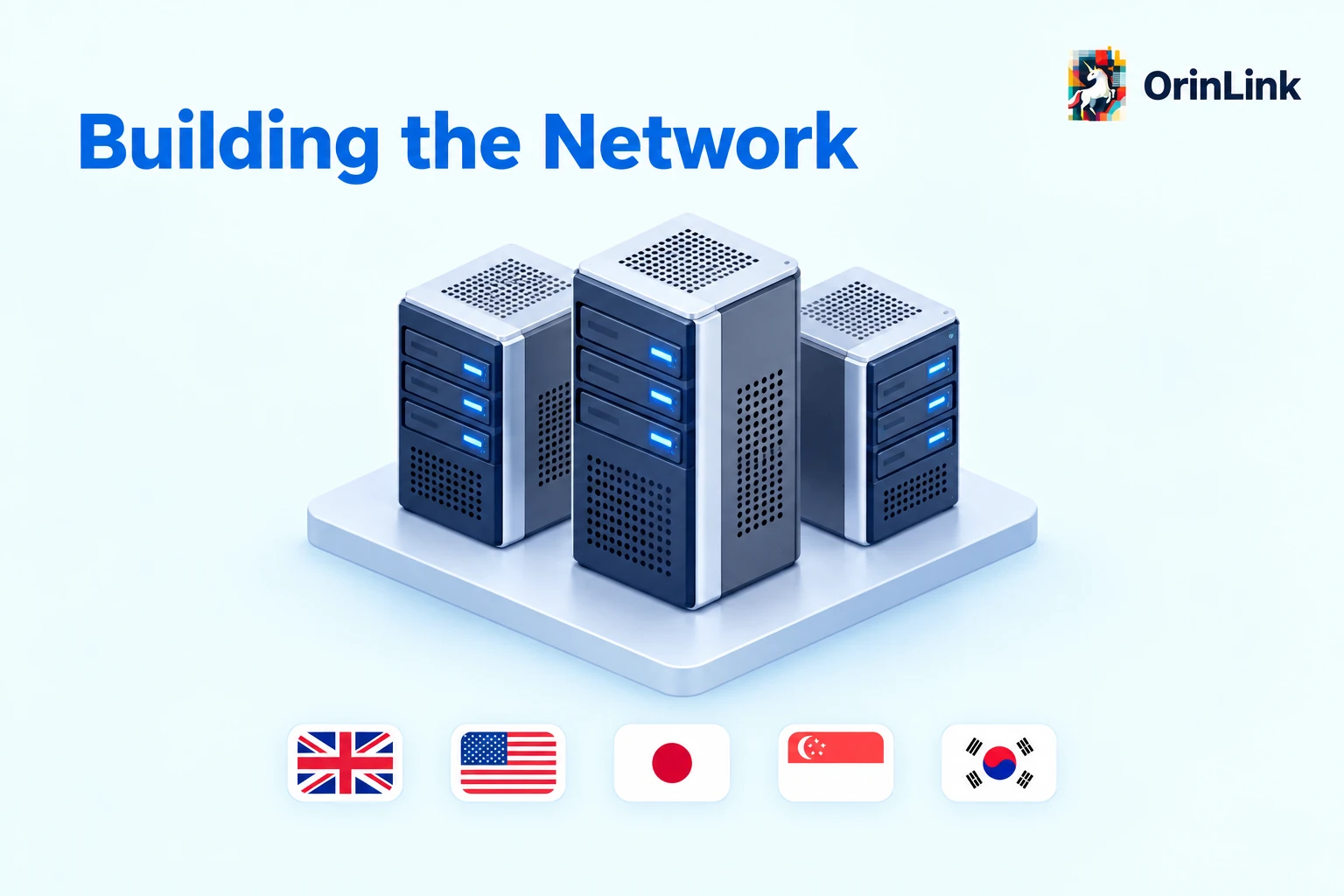 Building the Network
Direct Connection
Your devices
🇬🇧 🇺🇸 🇯🇵 🇸🇬 🇰🇷Destination server
- Lower setup cost
- No shared relay dependency
Relayed Connection
Your devices
Relay server

🇬🇧 🇺🇸 🇯🇵 🇸🇬 🇰🇷Destination server
- An alternative route to improve connection quality
- Extra cost and reliance on a shared relay
Why Use Both?
- Direct: a connection issue / maintenance on one server leaves others unaffected.
- Relay: can be faster, but relay issues affect all connections through it.
- Invest in premium VPS or better routing for a better user experience.
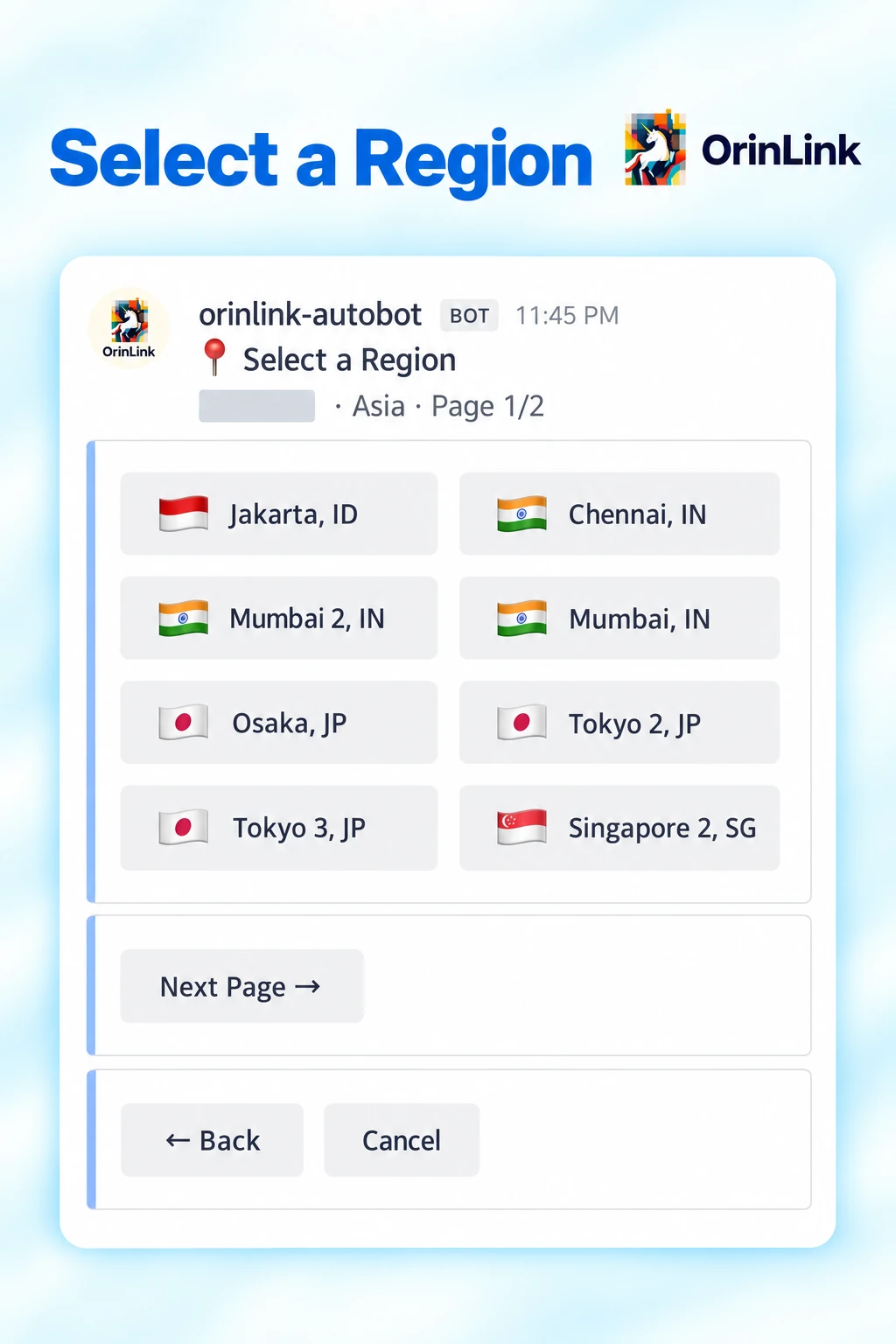 Automated Server Setup
Why Automate Server Setup?
- Save time: 30–50 minutes manually → 5–8 minutes in some automated runs.
- Less manual work: Rent a server → Set up its domain → Install software → Connect to the panel → Check connectivity.
- Stay in control: Approve purchases and decide when servers go live.
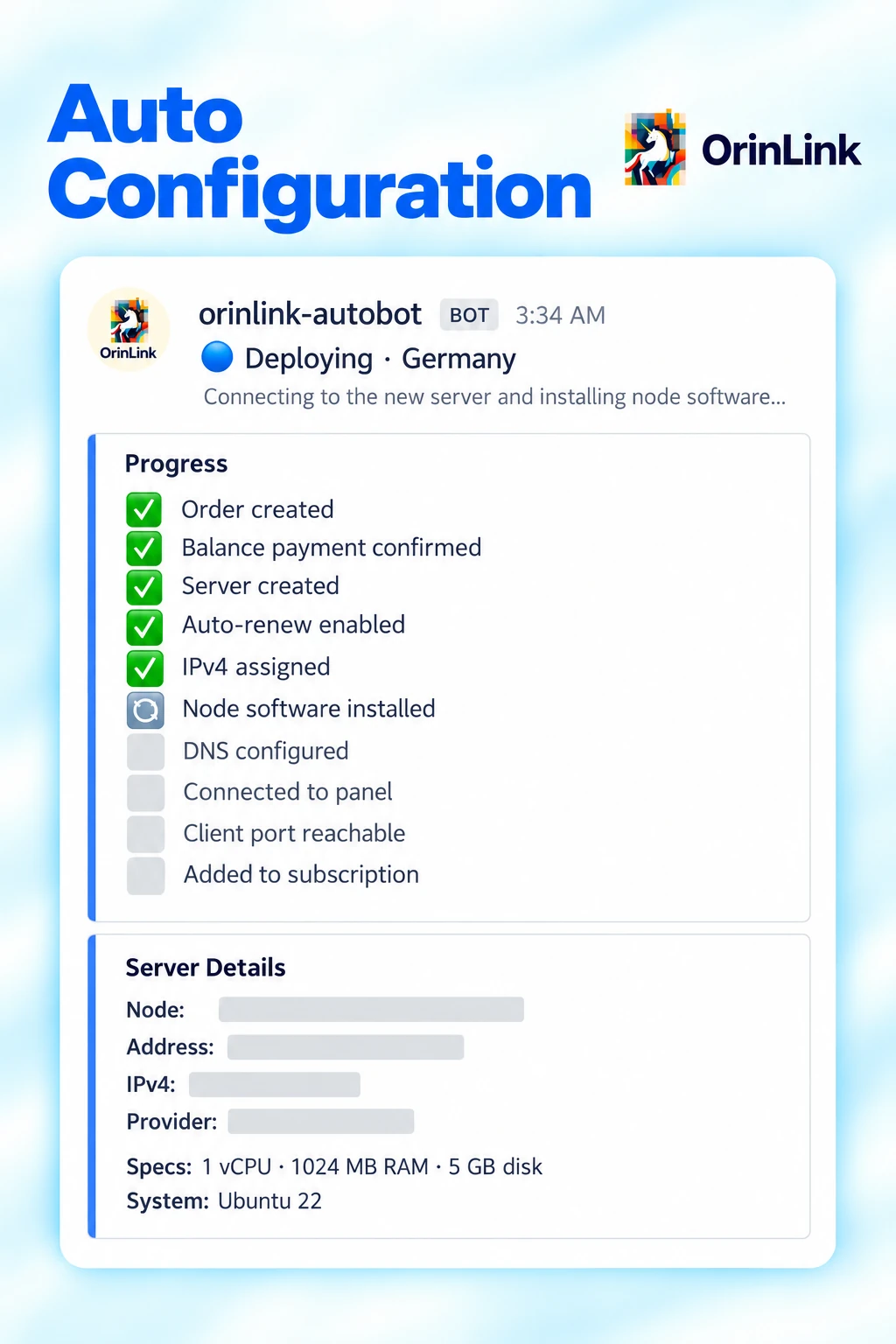
How Server Setup Works
Manual approval required
- Choose a ServerProvider, region & plan.
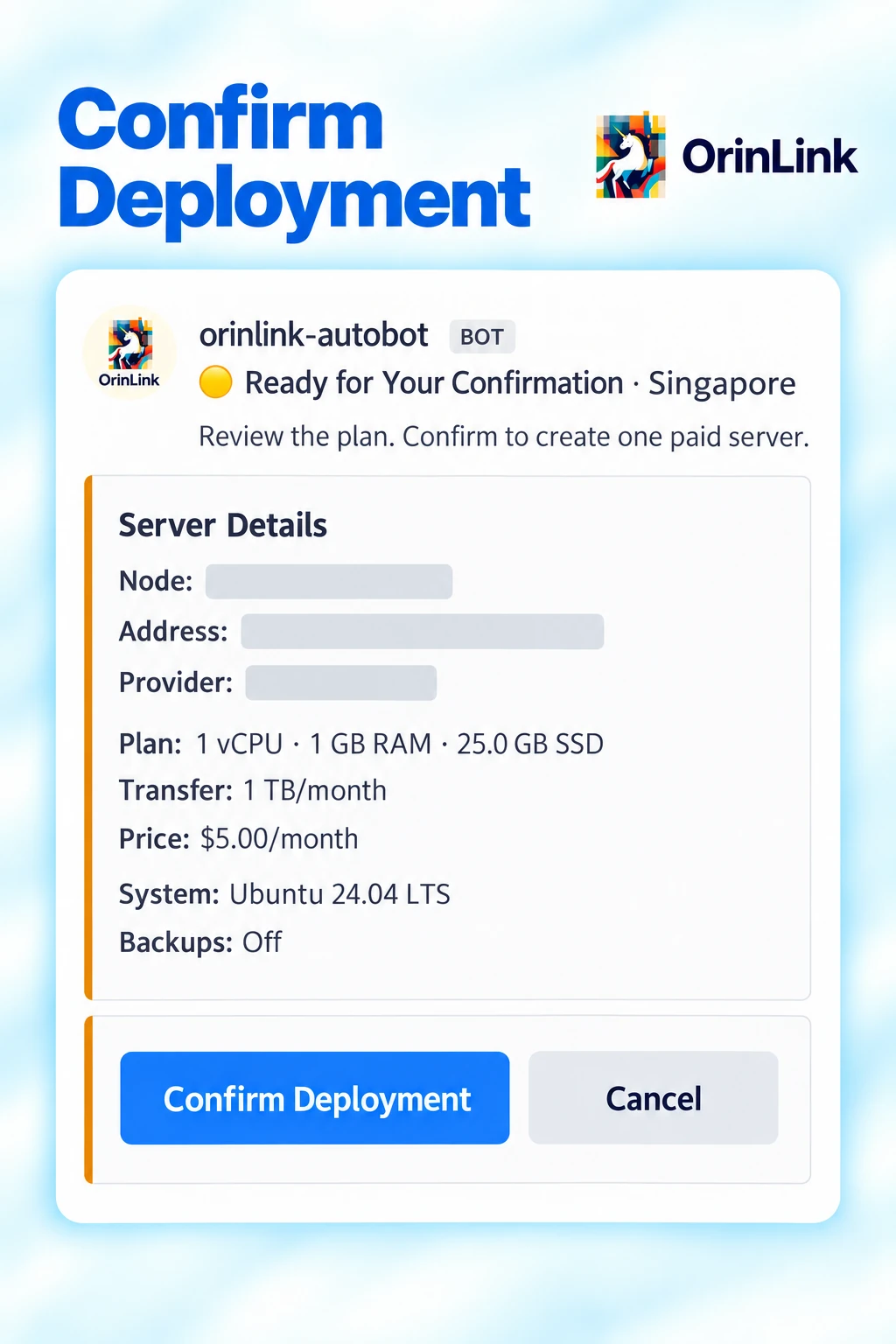
- Confirm PurchaseReview server details and cost
- Auto SetupCreate serverConfigure domainInstall software
- Check ConnectionConnect to panelCheck connectivity
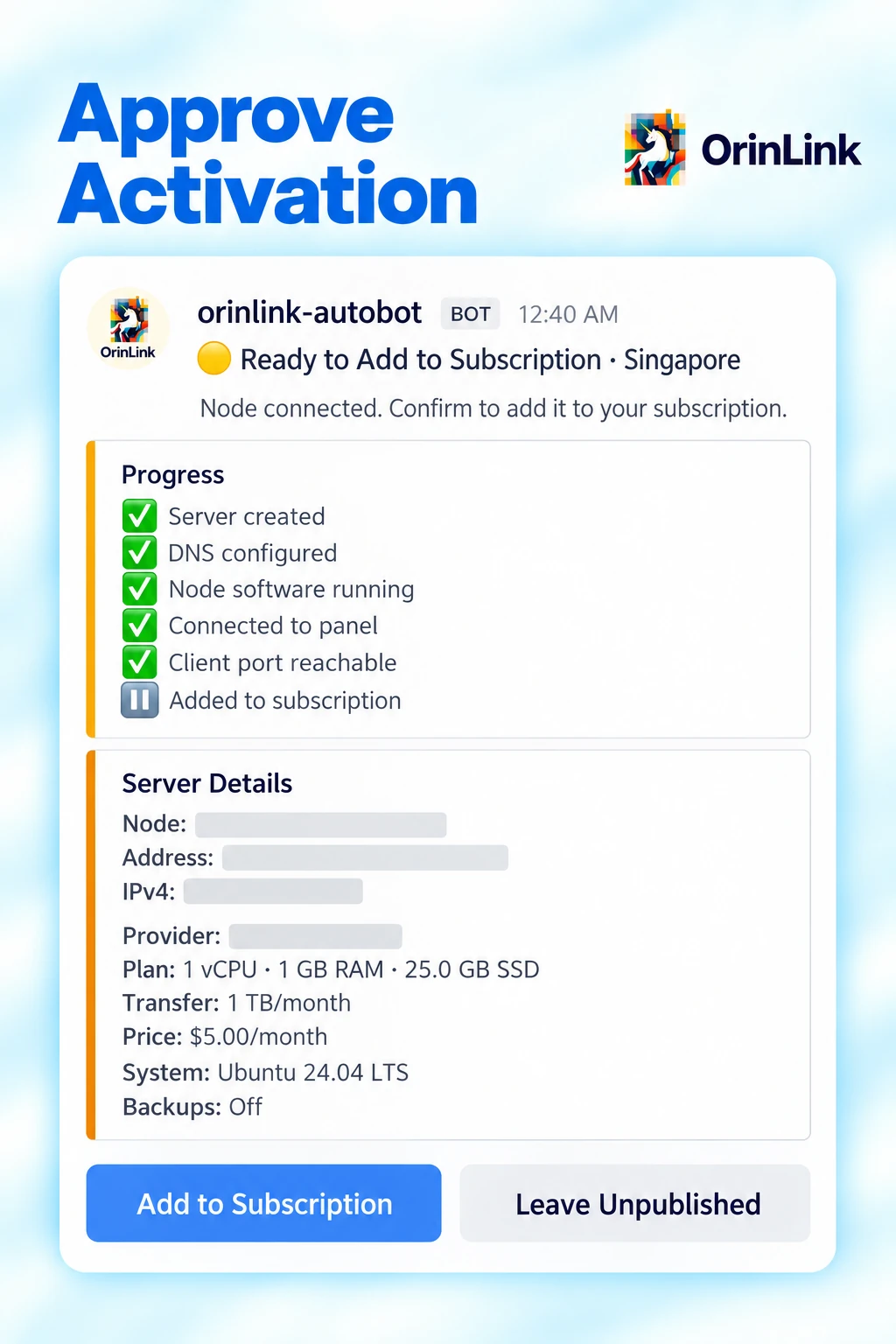
- Approve ActivationReview setup and connection results
- Ready to UseAvailable throughthe subscription.


Choose a Region
Choose where to deploy the server.
Confirm Purchase
Review the plan and cost before purchasing.
Automatic Setup
Follow installation and configuration progress.
Approve Activation
Add the server to the subscription when ready.
 Checkout & Payments
Automated USDT Payments
Create orderUnique order IDAssigned USDT amount


Match order

Confirm with backend
Activate subscriptionQR code + link
Second scanFor unconfirmed orders

Payment after expiry? Contact support for manual review.
Cards & Apple Pay
Confirm paymentWebhook to backend
Activate subscriptionQR code + link
Connected to the existing subscription activation flow.
 24/7 Service Monitoring
Why Monitor the Service?
- Check whether people in different places can connect and how long connections take.
- Spot connection problems without checking manually around the clock.
- Use the results to maintain reliable connections over time.
How Monitoring Works
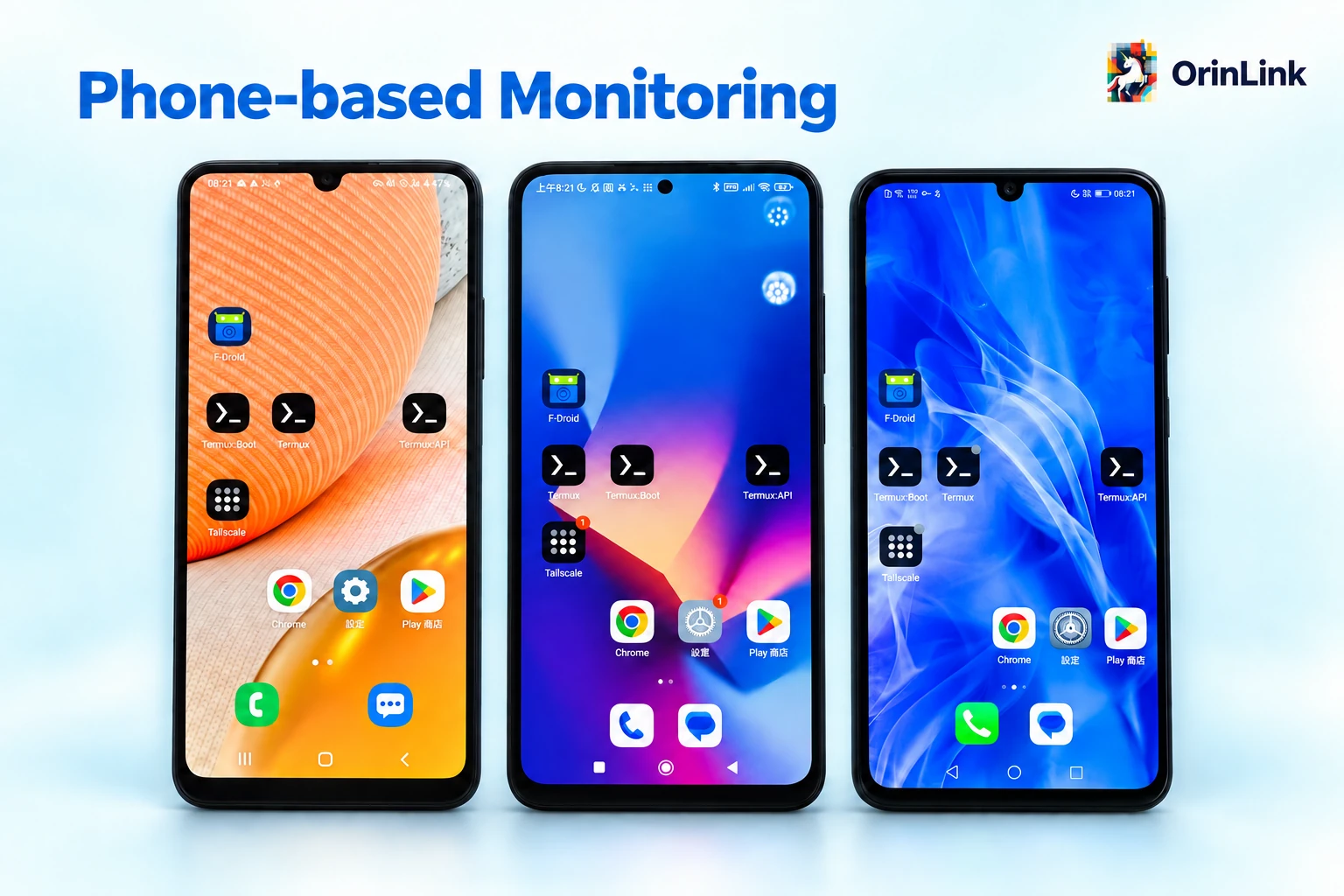
Phone probesAcross regionsWi-Fi / mobile data

Check nodesEvery 5 minutesConnectivity & latency

Evaluate resultsPython rulesMultiple checks
Alerts & reportsInstant mobile notifications

Review & adjustManual node maintenance

Failure alerts · Recovery notices · Daily reports
Remote access: Tailscale + self-hosted Headscale
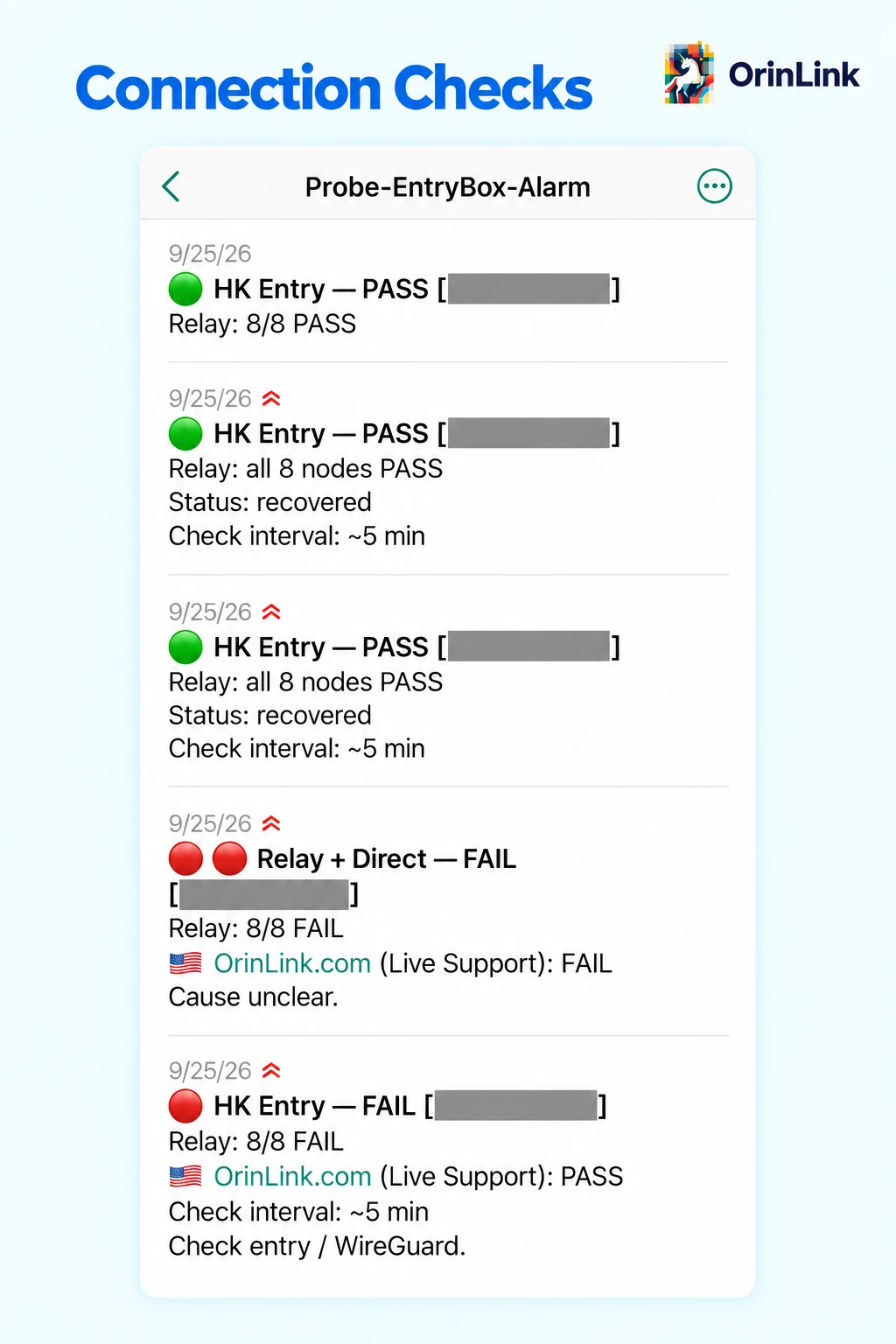
Connection Checks
- Checks entry and relay connections.
- Records pass and fail results.
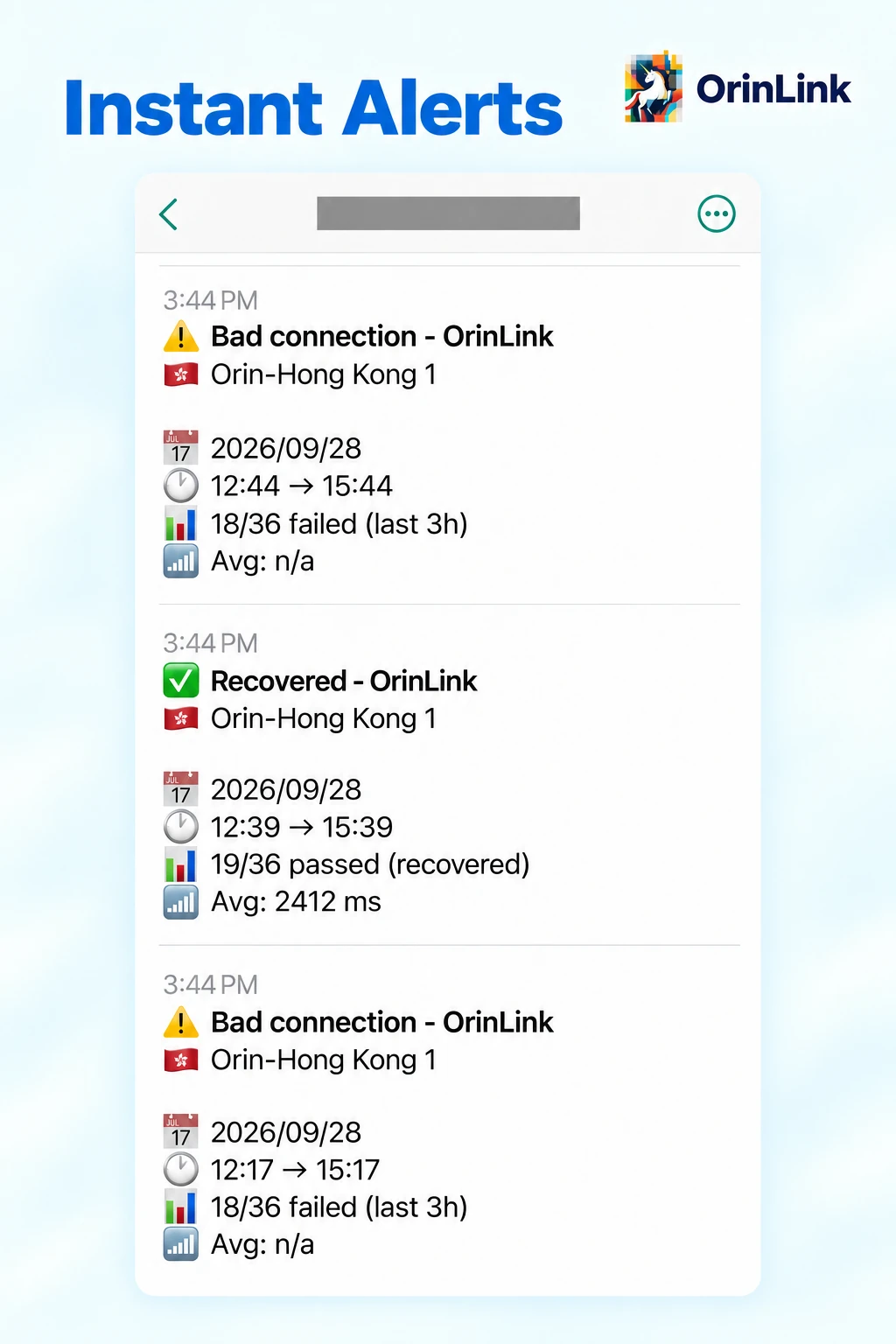
Instant Alerts
- Flags persistent connection failures.
- Notifies when recovery is confirmed.
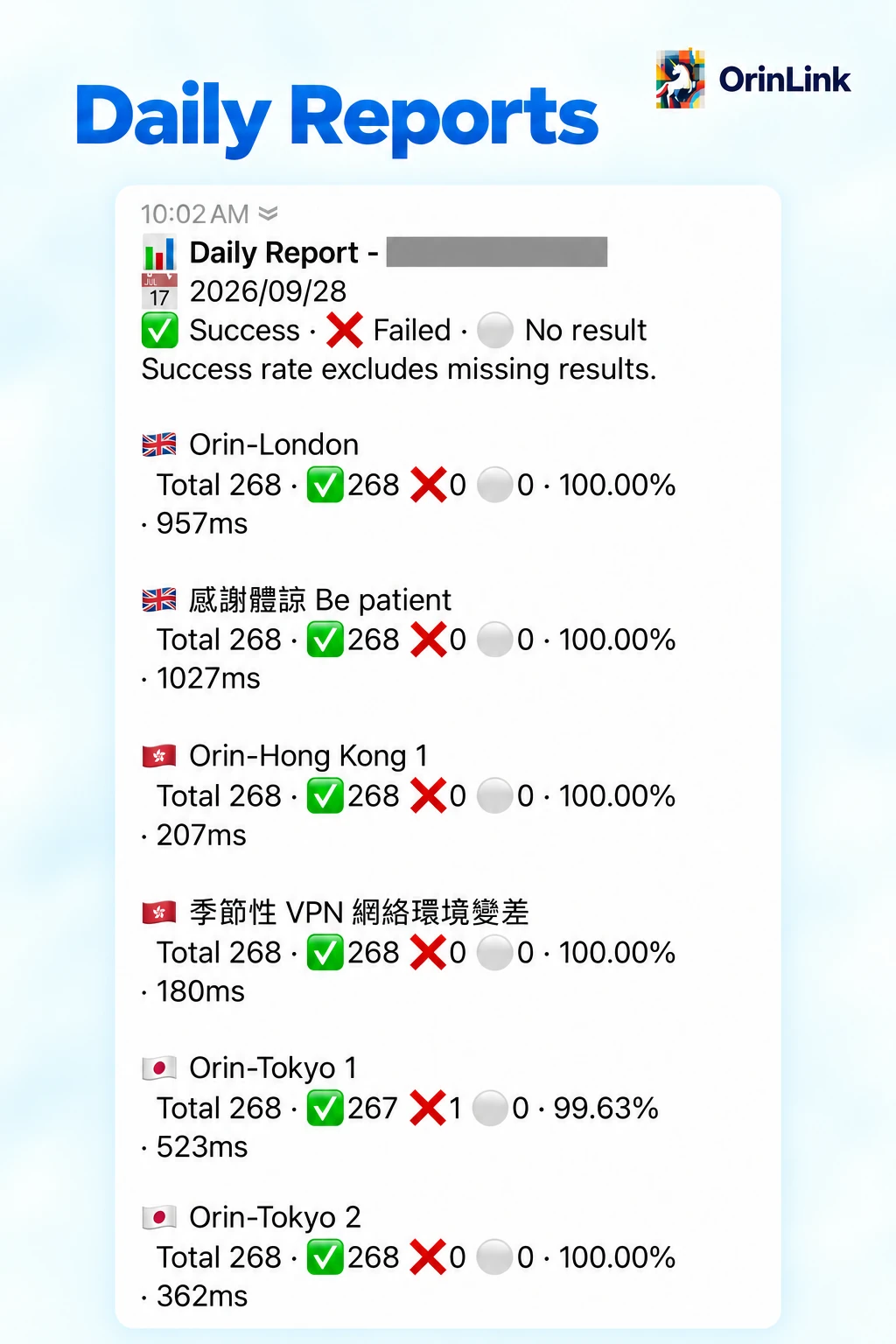
Daily Reports
- Summarizes success rates and latency.
- Includes missing test results.
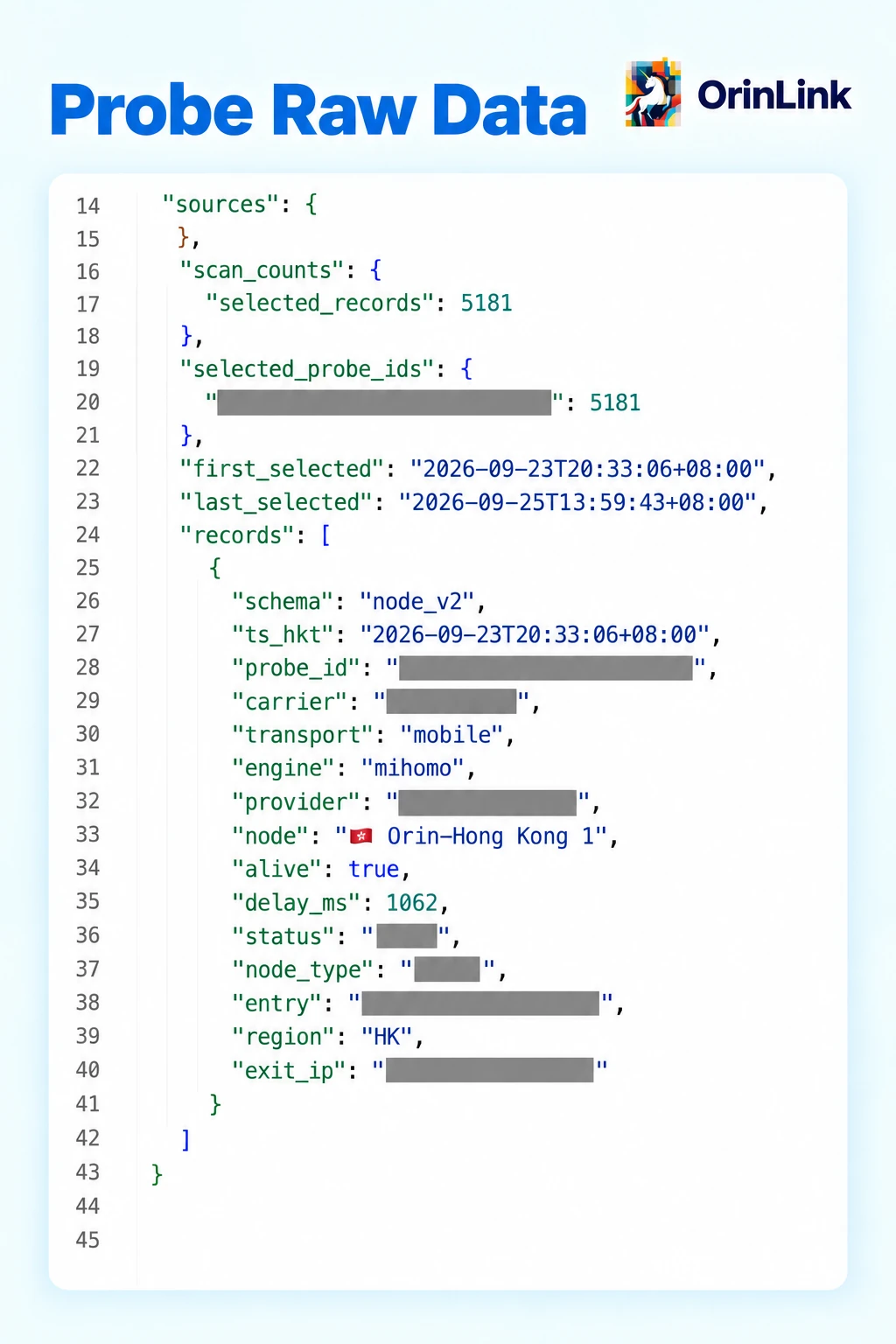
Probe Raw Data
- Keeps individual test records.
- Supports troubleshooting and review.